Rewards customers can actually spend
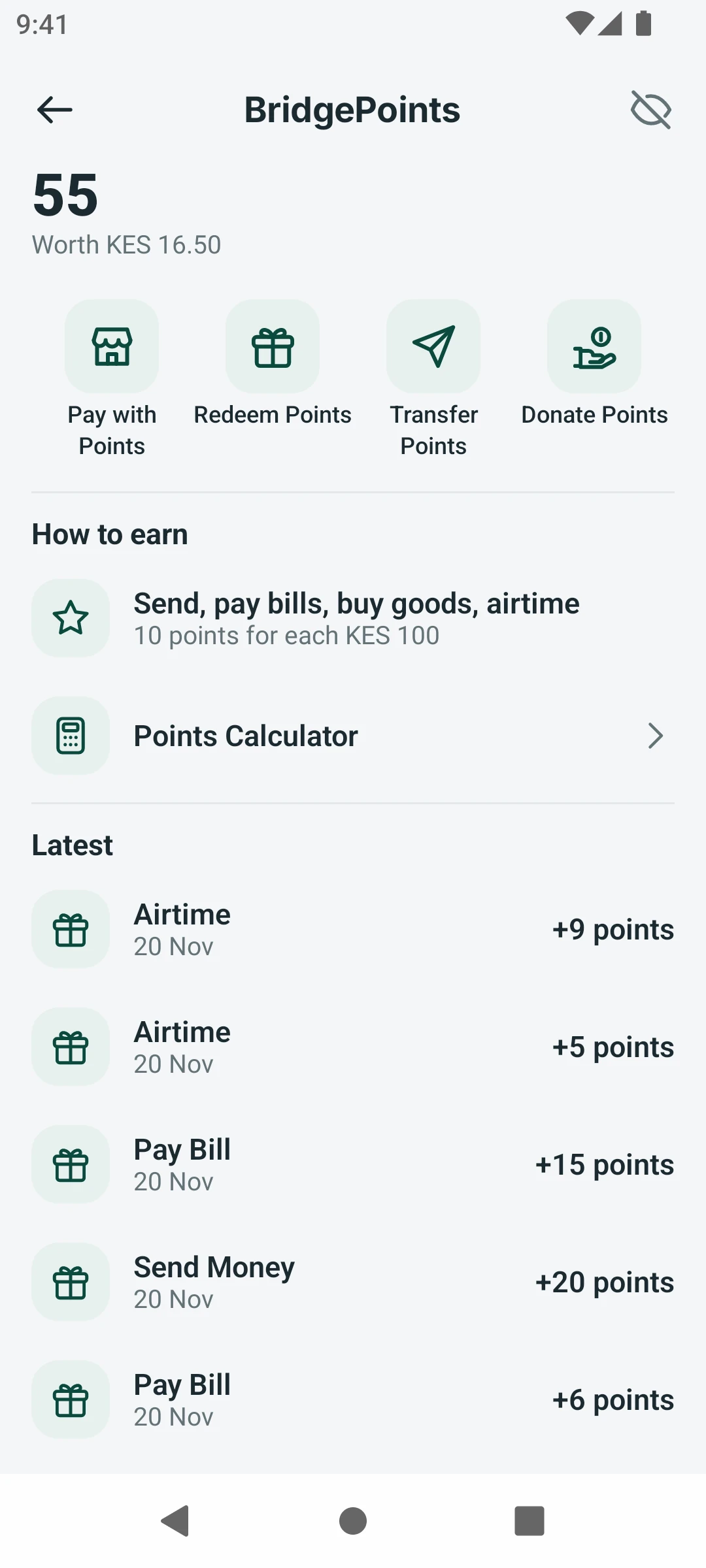
BridgePoints adds points to every eligible payment. Customers pay with them, redeem rewards, send them to a friend or donate them.
What it does
Earn points and spend them like cash
Points are earned by sending and paying, held on the ledger like money, and worth a value the customer can always see.
How it works
BridgePoints in three steps
- 1
Pay and send as usual; points are added automatically.
- 2
Check your balance and what it is worth in the app.
- 3
Pay with points, redeem a reward or give them to someone.
Built in
What BridgePoints does under the hood
Earned by itself
Points land on every qualifying payment, straight from the ledger: no codes, no forms.
Spend them four ways
Turn points into cash, pay a shop, send them to someone or give them to a cause.
Your rates
The operator sets how many points a payment earns and what a point is worth.
Every point on record
Each point earned, spent or sent shows on the customer's points statement.
Who it is for
Made for the people who use it every day
- 1Customers who pay with the wallet every day.
- 2Merchants who want customers to come back.
- 3Operators running campaigns to grow wallet use.
For banks and operators
Your brand, your rules, your revenue
- Your brandBridgePoints can take your rewards programme's name and look.
- Your settingsYou set the earning rates, the value of a point and where points can be spent.
- Your revenuePoints bring customers back to the wallet, so more payments flow through your ledger.
Questions
Questions about BridgePoints
How are points earned?
On the payments and transfers you choose, at the rate you set.
What is a point worth?
A value you set, shown next to the balance in the app.
Can points be shared?
Yes. Customers can transfer points to another wallet or donate them.
Ready to launch your wallet?
Book a demo and we'll stand up your brand, country and rails — and walk you through the apps, admin and API.
Prefer to talk? Call +254 746 883809