Payments that happen on time, every time
Customers set up rent, school fees, savings or any regular payment once. The wallet pays it on the date, and they can stop it whenever they like.
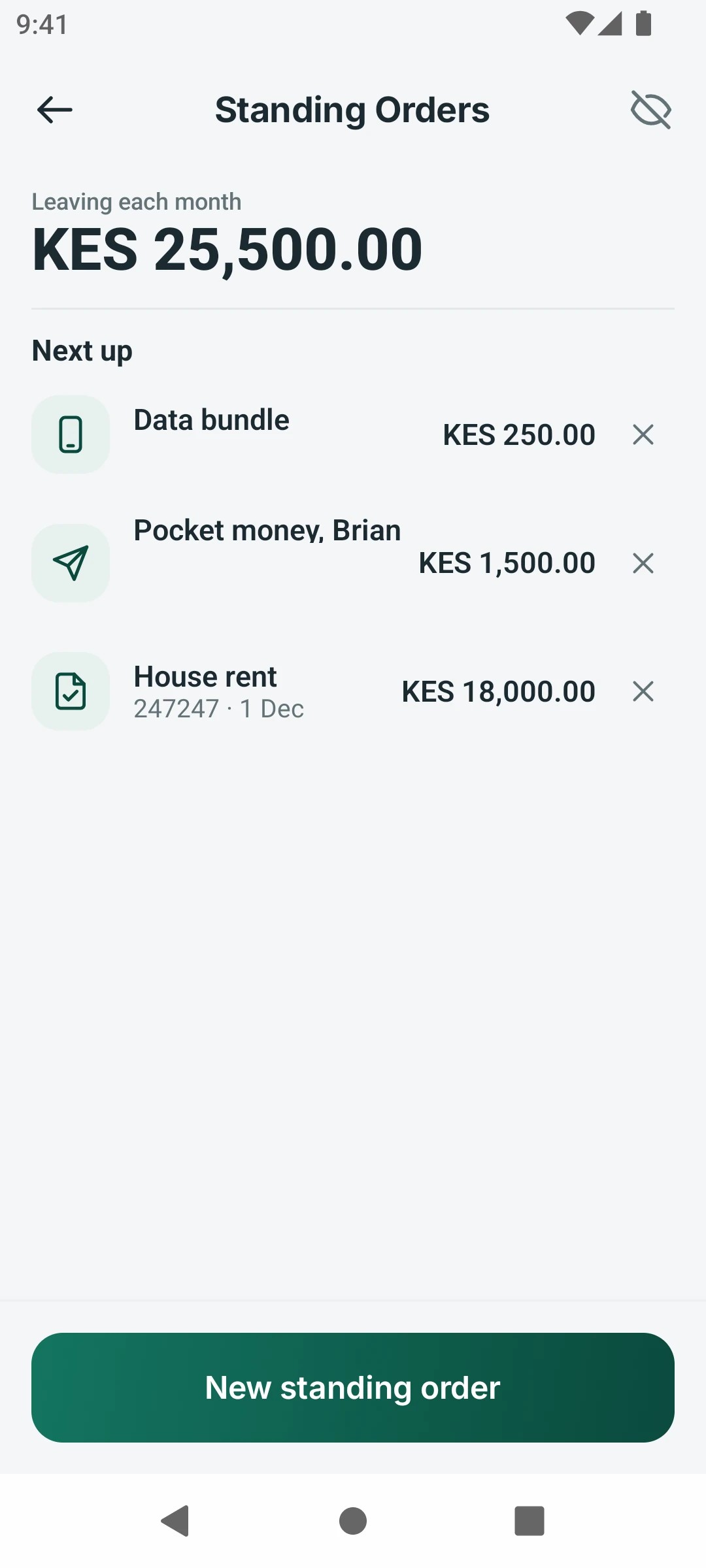
What it does
Rent, fees and savings paid on schedule
A standing order can send money, pay a bill, buy goods or top up airtime on a regular schedule. Customers see the next date and cancel in one tap.
How it works
Standing orders in three steps
- 1
Choose the payment type, who it goes to and the amount.
- 2
Pick how often it runs and the first date.
- 3
The wallet pays on schedule, and every payment shows on your statement.
In real life
Rent and school fees, paid on time without thinking
Customers set the amount, the payee and the day once. The wallet pays it every time.
Who it is for
Made for the people who use it every day
- Tenants paying rent and parents paying school fees.
- Savers putting a fixed amount aside every month.
- Families sending regular support to relatives.
For banks and operators
Your brand, your rules, your revenue
- Your brandStanding orders appear in your brand and your words.
- Your settingsYou decide which payment types can be scheduled and any limits.
- Your revenueEvery scheduled payment earns the usual transaction fee, month after month.
Questions
Questions about Standing orders
Which payments can be scheduled?
Send money, Pay Bill, Buy Goods and airtime, to anyone the customer can pay.
Can a standing order be cancelled?
Yes, at any time, from the list of active orders.
Is there a charge to set one up?
Setting up an order is free; each payment carries the usual fee for its type.
Ready to launch your wallet?
Book a demo and we'll stand up your brand, country and rails — and walk you through the apps, admin and API.
Prefer to talk? Call +254 746 883809